HR for Startups & SMEs
HR Software vs Excel Which Is Better for Growing Companies
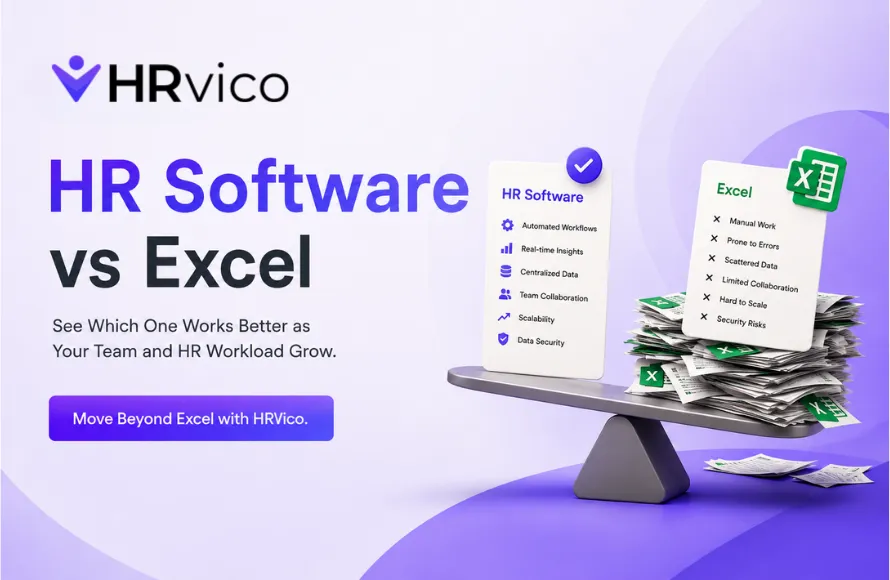
For small teams, Excel can seem like an easy way to manage employee information, attendance, leave records and other HR tasks. It is familiar, flexible and inexpensive to start with. But as a company grows, HR management becomes more complicated. More employees mean more attendance records, leave requests, salary-related information, documents and approvals to manage. At this stage, relying completely on Excel can lead to repetitive work, errors and difficulty keeping information updated. This is where HR software can make a difference. But is HR software really better than Excel for a growing company? Let’s compare both options and understand when businesses should consider moving from spreadsheets to a dedicated HR solution. Excel: Employee information is usually maintained across spreadsheets. As records increase, finding, updating and organizing information can become time-consuming. HR Software: Employee information can be managed in a centralized system, making it easier for HR teams and authorized managers to access updated records. Excel: Attendance may require manual entries, spreadsheet updates and regular checking. This can become difficult when the team grows. HR Software: Attendance can be recorded and managed digitally, reducing repetitive data entry and making attendance information easier to track. Excel: HR may need to receive leave requests separately and manually update leave records. HR Software: Employees can submit leave requests digitally, while managers can review and approve them through a structured workflow. Excel: Manual data entry, formulas and multiple spreadsheet versions can increase the possibility of mistakes. HR Software: Automated workflows and centralized records can reduce repetitive manual work and help maintain more consistent HR data. Excel: HR teams often need to prepare reports manually by filtering, sorting or combining spreadsheet data. HR Software: HR information can be organized into reports and dashboards, helping HR and managers get useful insights faster. Excel: Files can be difficult to manage when multiple people need access to the latest version. HR Software: A centralized HR system provides controlled access to employee information based on user roles and permissions. Excel: A spreadsheet may work well for a small team, but managing hundreds of employee records can become increasingly difficult. HR Software: Dedicated HR systems are designed to support growing teams and expanding HR processes. Excel is not a bad tool. In fact, it can be useful for simple HR tasks and smaller teams. The problem starts when HR processes depend heavily on manual updates. If HR teams are spending hours maintaining attendance sheets, tracking leave balances, updating employee records, preparing reports or checking different versions of spreadsheets, it may be time to consider HR software. For businesses in Delhi, Noida, Greater Noida, Gurugram, Ghaziabad and Faridabad, moving to digital HR management can help create more organized and efficient workflows as the company grows. There is no fixed employee count at which every company must adopt HR software. The right time depends on the complexity of your HR processes. Consider switching when: ✓ Your employee records are becoming difficult to manage For very small teams with simple requirements, Excel may still be sufficient. However, for growing companies that want centralized employee management, less manual work, easier approvals and better HR visibility, dedicated HR software can be the more practical long-term choice. The goal is not simply to replace Excel. It is to build HR processes that can keep up with your growing team. Managing HR manually becomes harder as your business grows. HRVico helps businesses move from scattered spreadsheets and repetitive HR tasks toward simpler digital HR management. With HRVico, businesses can bring important HR processes into one organized system and make everyday employee management easier. If you're planning to move beyond Excel, explore HRVico, review the available features and choose an HR solution that fits your business needs.HR Software vs Excel: What’s the Difference?
1. Employee Data Management
2. Attendance Management
3. Leave Management
4. Accuracy and Errors
5. Reporting
6. Accessibility
7. Scalability
Why Growing Companies Outgrow Excel
When Should You Move From Excel to HR Software?
✓ Attendance tracking takes too much time
✓ Leave requests are difficult to keep updated
✓ HR work depends on multiple Excel files
✓ Managers need faster approval workflows
✓ Manual HR tasks are taking time away from important work
✓ Your company is planning rapid growth
✓ You need better visibility into employee informationHR Software or Excel: Which Is Better?
Simplify HR Management With HRVico